Everything you owe, on one sheet.
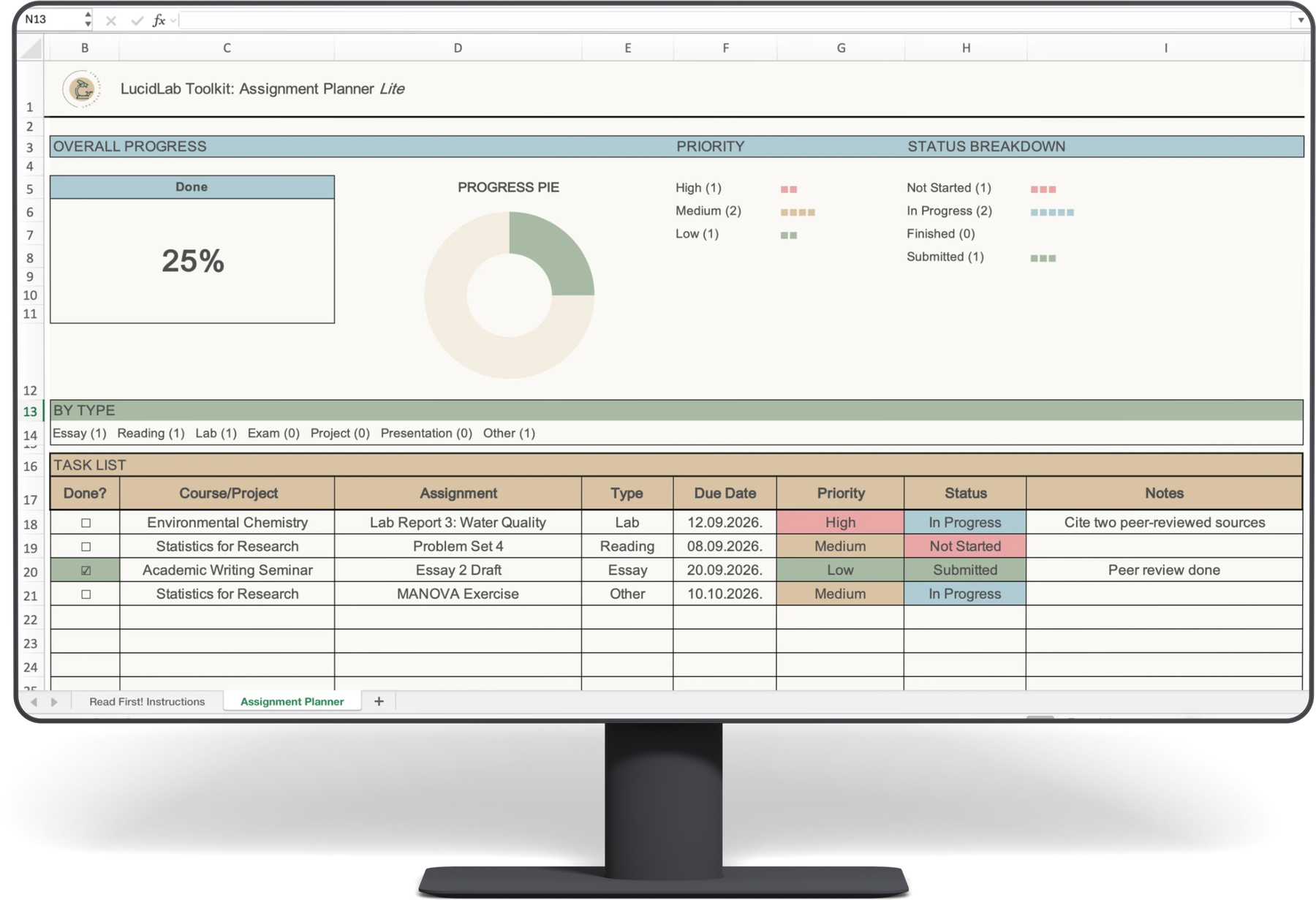
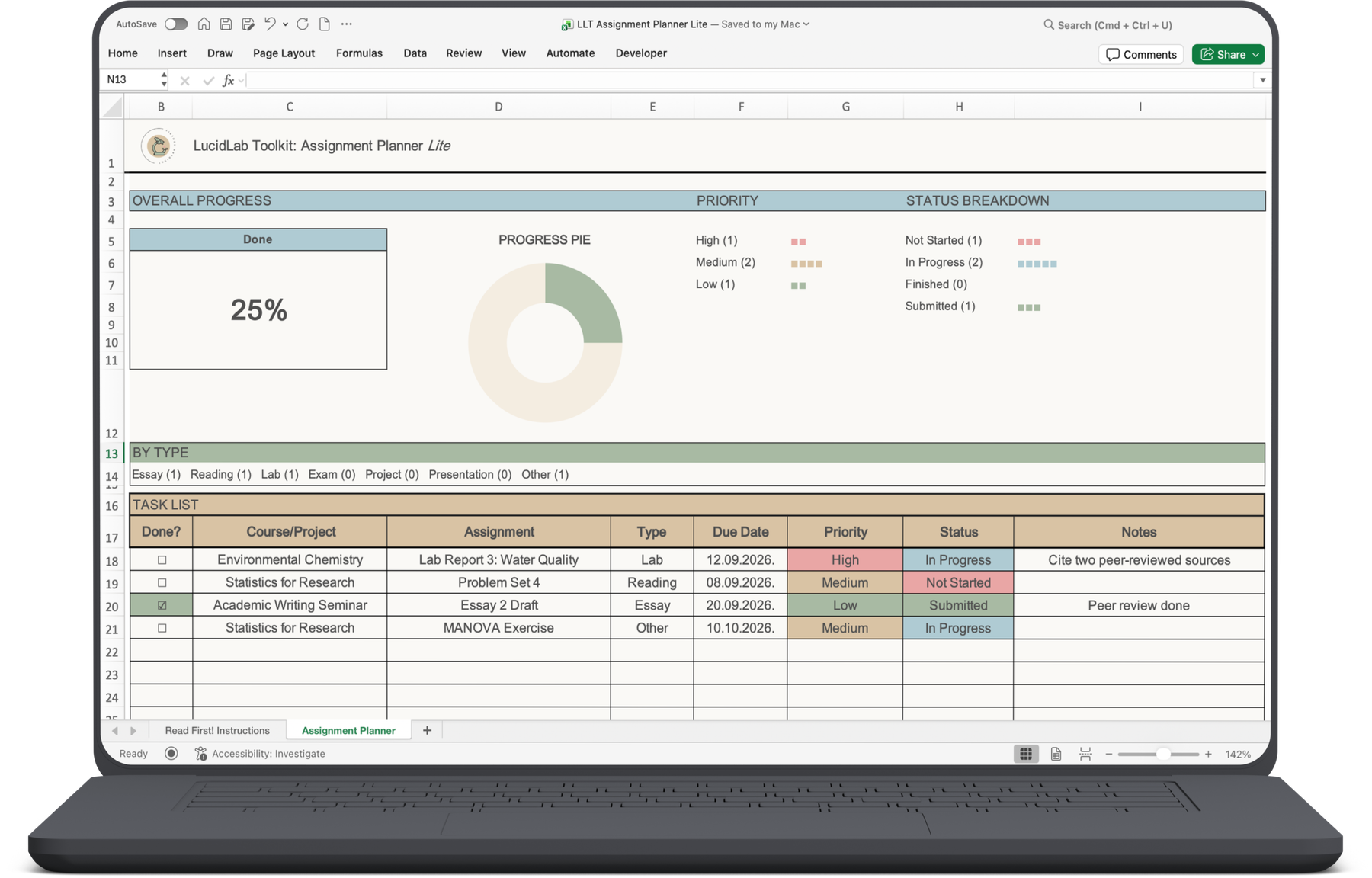
The Assignment Planner Lite tracks tasks, deadlines, priority and status in a single spreadsheet, with a dashboard on top that tells you how far along you actually are. Free, no strings, works in Excel and Google Sheets.
One file. One email. No sequence to sit through.
Where should I send it?
Enter your email and the file lands in your inbox within a few minutes. You will also get a short welcome sequence, and after that the occasional note from The Lucid Collective.
Check promotions and spam if it is playing hard to get. You can unsubscribe at any time.
A free planner that tells you where you stand
Most free trackers give you a table and leave you to count. This one has a dashboard across the top: overall progress, your priority mix, your status breakdown, and a count by type. Fill in the task list and it updates itself.
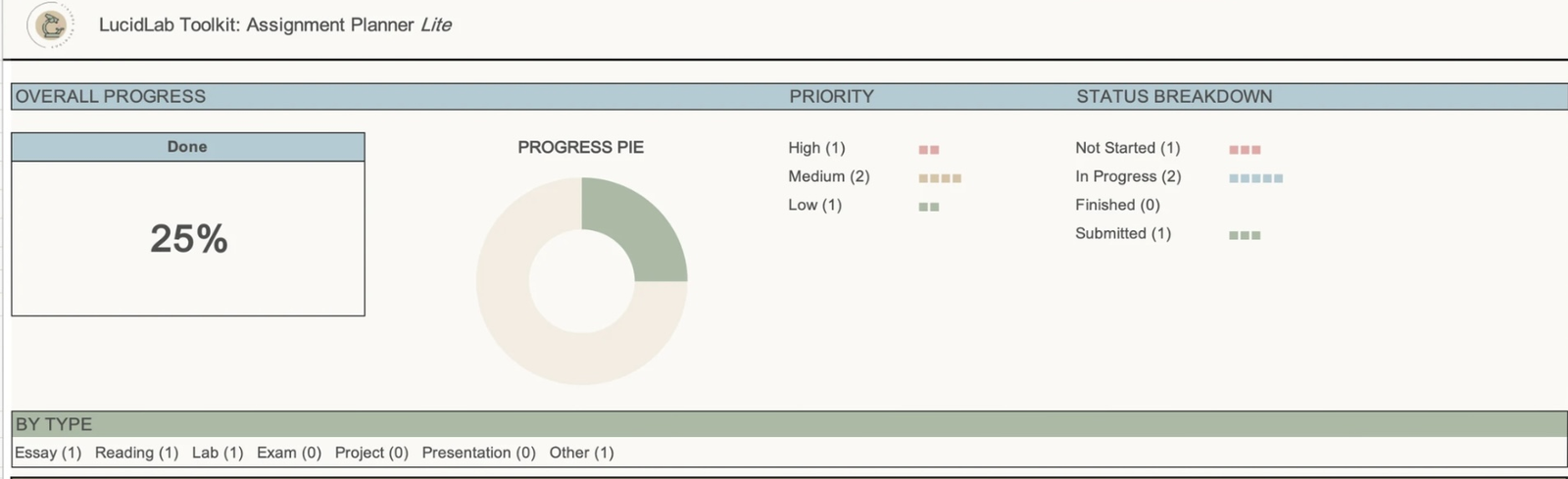
No setup. The charts read from the task list as you fill it in.
What you actually get
- Task list. Course or project, task name, type, due date, priority, status, notes, and a done checkbox.
- Dropdowns, not free text. Priority and status are pick-lists, so the dashboard never breaks because you typed "in progress" two different ways.
- Colour coding as you go. Priority and status colour themselves the moment you choose them. Nothing to format.
- The dashboard strip. Progress donut, priority bars, status breakdown, counts by type.
- A Read First sheet. Two minutes, and you know what every part does.
One .xlsx file. Opens in Excel on desktop, Mac and web, and in Google Sheets. No macros, no add-ons, no subscription.
Not only for coursework
I built this for students first, and that is still who reaches for it most. But underneath the labels it is a plain task tracker, and it does not much care whether the thing with a due date is an essay, a client report, a grant deadline or a chapter draft. If it has a name, a date and a status, it fits.
How this works
- You enter your email above
- One email arrives with the file
- Two more follow over the next week or so, then the regular Lucid Collective notes
- No wall, no waiting, no upgrade required to use it properly